 Matiné
Using Matiné
Search
Search in Spanish or English, the Related row, and the on-device keywords made on iPhone and synced by iCloud.
Search finds movies, shows and episodes, in Spanish or English. Kid profiles do not have Search. iPhone and iPad have it too.
How it searches
Search runs on your device, not on the server. When you open it, the profile’s catalog (titles, original titles, synopses, genres and tags) is read, and it is searched at every key you type. It:
- ignores case and accents (“leon” finds “Los leones”), and matches the start of words and plurals;
- forgives one typo in longer words;
- needs every meaningful word to match, and ranks titles above synopses;
- groups results as Movies, Series (Shows on iPhone and iPad), Episodes and Videos. An episode is found by its own name and synopsis, not its show’s.
A film’s original title is searched as well as its Spanish or English one, and any tag set in Jellyfin’s metadata editor counts, so you can add words in either language there. Recent searches keeps the last few for each profile, only on that device, and Clear (Delete on Apple TV) forgets them.
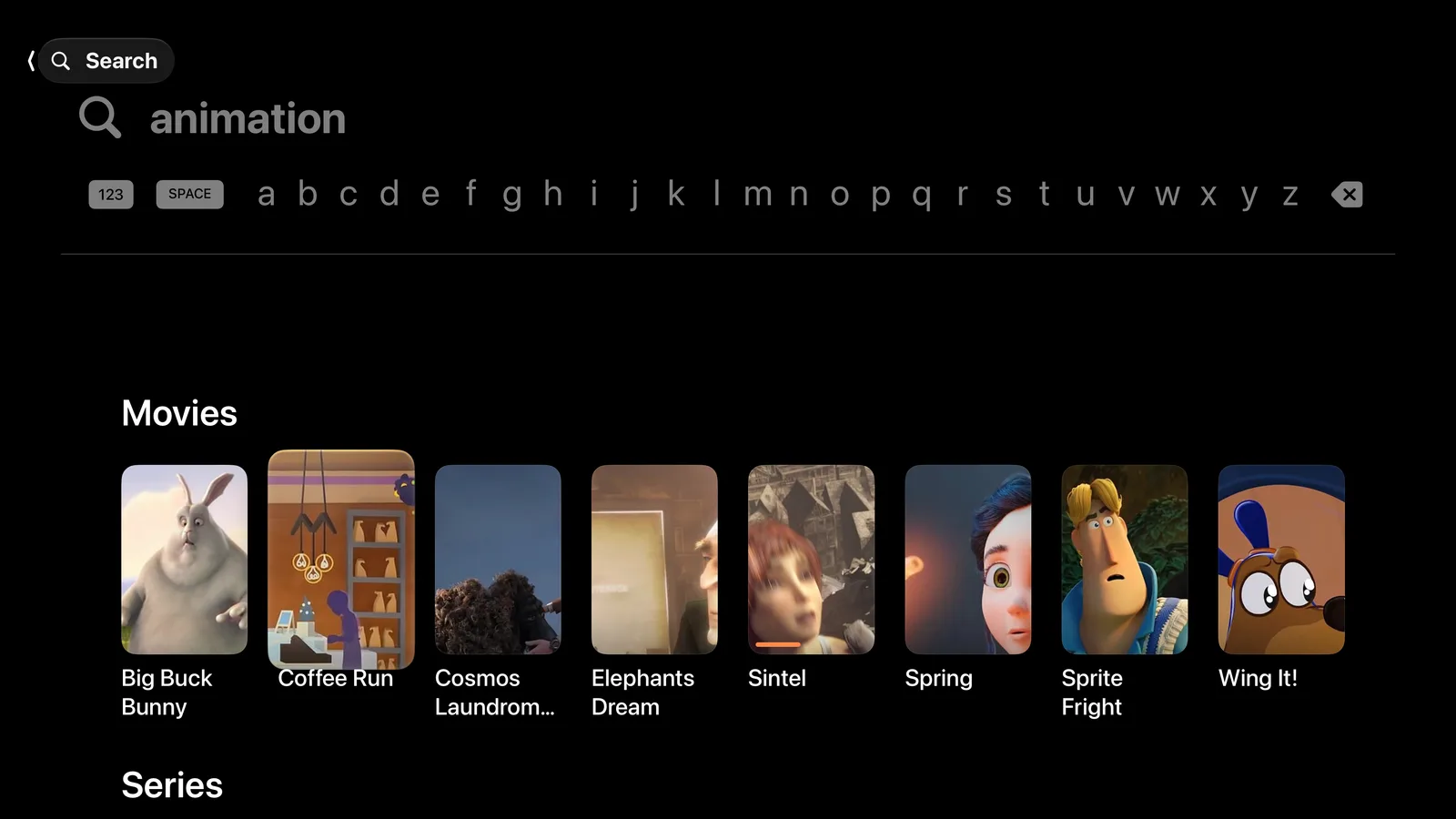
The Related row
Where the device has Apple’s on-device language model, a last row, Related (Relacionado), lists titles whose name or synopsis is about what you typed, in either language: typing “snake” can surface a story about vipers. Nothing leaves the device for this. Without the model, search matches words only.
Keywords made on your iPhone or iPad
The Apple TV has no on-device model that can write keywords, so the iPhone or iPad makes them. For each title, the phone makes a few extra Spanish and English words. They arrive on the Apple TV through iCloud, where search uses them in addition to the title and synopsis.
On iPhone or iPad, the keywords’ progress is shown on the profile page, in the Search section (“Making keywords…”, “Keywords: 12 of 40”). Making them takes a while for a big library: plugged in, with the app open, the screen stays on until they are done. They need Apple Intelligence turned on, or Spanish and English downloaded in Settings › Apps › Translate. Signed out of iCloud, search still works, without them.
Keywords are kept for a server, not for each profile, and you can share them with another person; see Sharing keywords.